
Make scientific reading easier to listen to.
Use Earlo’s pronunciation dictionary, citation controls and original PDF view to follow technical papers with more control.
of your next read.
Earlo interface shown with sample content.
Begin with the source in view.
Technical papers combine prose with names, symbols, citations, tables and equations. Earlo’s English-first scientific speech handling supports common notation, abbreviations and units, but a listening pass is not a complete interpretation of every expression.
Open the original PDF when a formula, diagram or table needs a closer look. Synchronized highlighting and section navigation help you return to the passage you were hearing. Keep the source close enough to check the details.
Teach Earlo a name or specialist term.
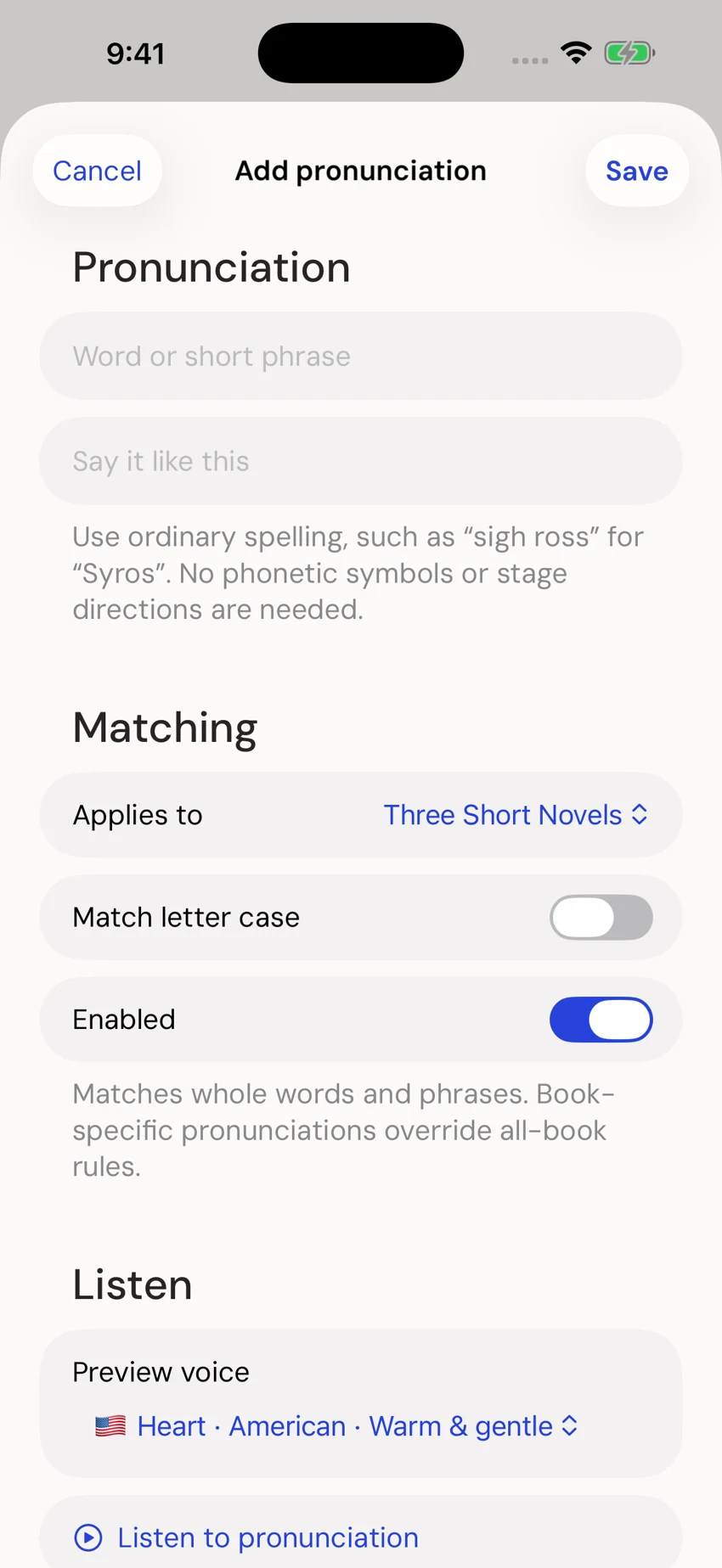
Use the pronunciation dictionary to give a word or phrase a spoken replacement. An author’s name, a local abbreviation or a specialist term can be worth adjusting before a longer listening session.
For example, if a fictional project name “AsterQ” is read awkwardly, try a spoken replacement such as “Aster cue,” then listen to the sentence again. This illustrates the workflow rather than prescribing the correct pronunciation of a real scientific term.
Choose the right scope.
A dictionary entry can apply to one book or across your library. Use a book-specific entry when an abbreviation has a special meaning in that paper. Use a library-wide entry when the same pronunciation is useful across your reading.
Check the replacement in context. Expanding an acronym may make one sentence clearer while making another cumbersome. Keep the visible source unchanged so you can always compare what was written with what is spoken.
Decide how to hear citations.
Research narration skips recognized inline citations and reference lists by default, helping you follow the prose. These parts remain in the visible document, and you can restore them through the research controls.
You can also use narration exclusions for passages you do not want spoken. Excluding text from narration does not remove it from the source. Review a paper’s reading behavior before using it for a focused listening session.
Review difficult layouts and OCR.
Complex equations, dense tables, unusual page layouts and imperfect scans may need review. OCR can mistake a symbol for a letter or read text in the wrong sequence. Use the import review to correct recognized text and check the original page.
If a passage cannot be made clear through narration, read that part visually and resume listening with the next section. The goal is to make the paper easier to explore while retaining the evidence you need to interpret it.
Keep questions attached to their context.
Bookmark a passage or add a note when you want to verify a term, follow a reference or revisit an argument. Export your notes as Markdown and a paper’s citation as RIS or BibTeX when you return to writing.
Ask AI can prepare a selected passage and citation for an external app. You choose what to copy or share and whether to submit it. Check any explanation against the paper; the handoff does not replace source review.